Printable protractor PDF vs PNG: which prints to scale
A printable protractor PDF holds its real size, because a PDF measures its page in points and a point is fixed at 1/72 of an inch. A PNG or JPG is only a grid of pixels with no built-in size. So the same 1000 pixel wide protractor image prints 353 mm across in one app, 265 mm in another and 85 mm in a third, depending on which pixels-per-inch figure the app assumes. The PDF prints at one size, every time, as long as the print dialog is left at 100 percent. This guide explains what each format stores, what a screenshot does to the scale, which print setting to touch in each app, and what to do when the printout comes out a few millimetres small.
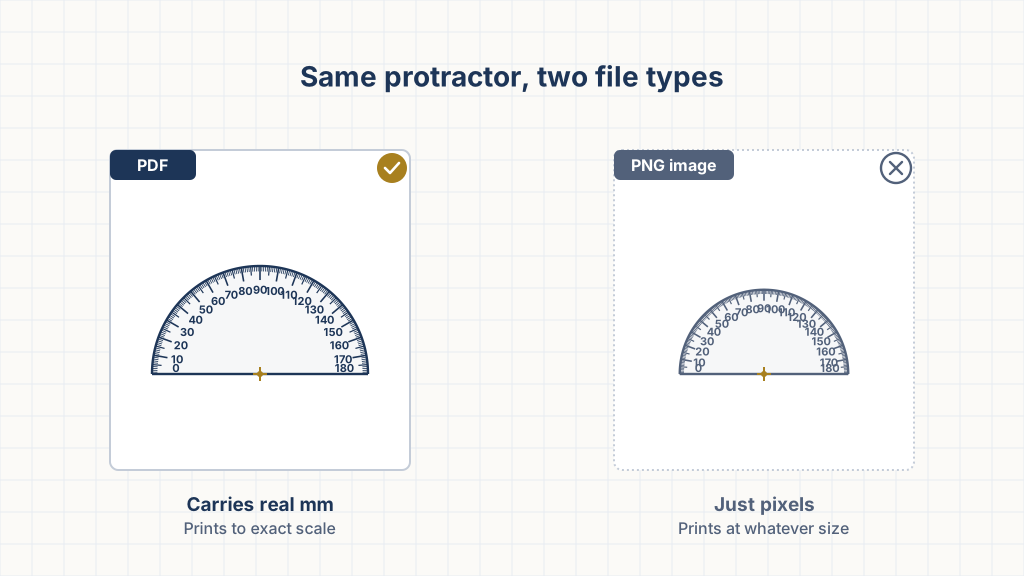
Why does a PDF print to scale and a PNG not?
A PDF stores its page in points, one point is 1/72 of an inch, and a viewer prints that page at that size. A PNG stores a pixel count and, at best, a hint about how many pixels make a metre. Most protractor images online carry no hint, so the printing app picks a default, and the defaults disagree.
"At a default unit size of a point, or 1/72 of an inch, a PDF document may not be larger than 200 inches by 200 inches."
Source: Datalogics, PDF size in inches (ISO 32000): https://kb.datalogics.com/article/how-large-can-a-pdf-document-be-in-inches-101.htmlThat fixed relationship to a physical inch is the whole story. A US Letter page is stored as 612 by 792 points, which is 8.5 by 11 inches. An A4 page is 595.28 by 841.89 points, which is 210 by 297 mm. Draw a 50 mm radius arc inside that page and it is stored as 141.73 points, and it comes out of the printer at 50 mm.
The PNG format has an optional chunk, called pHYs in the specification, that records pixels per unit along each axis, with the unit either unknown or the metre. Optional is the catch. Save a screenshot, crop an image, or export from most drawing apps and the chunk is missing or wrong. The app then guesses. Windows tools tend to assume 96 pixels per inch, older Mac and Adobe tools assume 72, and a print-ready export might say 300. Take a 1000 pixel wide protractor image:
- At 72 pixels per inch it prints 13.9 inches wide, about 353 mm.
- At 96 pixels per inch it prints 10.4 inches, about 265 mm.
- At 300 pixels per inch it prints 3.3 inches, about 85 mm.
Same file, three sizes, and none of the three is a mistake by the app. The file never said how big it was.
What is inside a protractor PDF?
Ours is drawn in millimetres and converted to points at exactly 72 divided by 25.4, which is 2.8346 points per millimetre. The page is set to the paper you chose, Letter or A4, so the print dialog sees a page that matches the sheet and has no reason to rescale it. The geometry sits centred, 16 mm from the top edge, inside every common printer's unprintable margin, so "Actual size" never clips anything.
Every sheet carries a 100 mm calibration bar with a tick every 10 mm. The major degree lines are drawn 0.35 mm wide, which covers about a quarter of a degree at the rim of the default 150 mm protractor. The file's metadata and the printed footer both say to print at 100 percent, because an exact file is only half the job. The print dialog is the other half.
Does a screenshot of a protractor work?
No, not for measuring. A screenshot is a PNG with no physical size, and a phone screenshot is enormous in pixels on top of that. An iPhone 13 screenshot is 1170 by 2532 pixels. At an assumed 72 pixels per inch that is a 16 by 35 inch picture, so the app shrinks it to fit the sheet at whatever fraction fits.
The screen itself is no better as a reference. CSS defines a pixel against a 96 pixels-per-inch reference display, but real screens run anywhere from about 96 to over 460 pixels per inch, and the browser scales content by a device pixel ratio to compensate. A protractor drawn "150 mm" on a web page is 150 mm on screen only if the site has been calibrated to your exact display. Ours has not, and neither has anyone else's by default. Do not hold paper up to a screen and read angles off it. Print, then read.
SVG can be exact too
An SVG is made of shapes rather than pixels, and it can declare its size in real units. An SVG whose opening tag says it is 150 mm wide prints at 150 mm at 100 percent, the same as a PDF. Our SVG export does exactly this: the width and height are written in millimetres and the drawing coordinates match them one for one, so nothing is scaled on the way to paper.
"1in = 2.54cm = 96px, 1cm = 96px/2.54, 1mm = 1/10th of 1cm, 1pt = 1/72nd of 1in" and, for print media, "the anchor unit should be one of the physical units."
Source: W3C, CSS Values and Units Module Level 3, absolute lengths: https://www.w3.org/TR/css-values-3/#absolute-lengthsThe caveat is the app you open it in. A browser honours the millimetre units when it prints. An image editor that rasterises the SVG on import will turn it into pixels at 72 or 96 per inch, and you are back to the PNG problem. Print SVG from a browser, or convert it to PDF first.
Which print setting keeps the size?
Set the scale to 100 percent or Actual size, and switch off any option with "fit" in its name. Every dialog has a version of this and every dialog hides it somewhere different.
- Chrome and Edge show a Scale menu under More settings. Leave it on Default or type 100. Chrome applies "Fit to printable area" on its own when the PDF page is larger than the printer can reach.
- Adobe Acrobat and Reader list Fit, Actual size and Shrink oversized pages under Page Sizing and Handling. Choose Actual size. Fit scales in both directions, and Shrink oversized pages scales down anything bigger than the printable area.
- macOS Preview has a "Scale to Fit" checkbox in the print sheet. Untick it and set Scale to 100 percent. Preview downscales whenever the PDF page width does not match the paper width exactly, which is why a protractor PDF should be built on the same paper size you load.
- Firefox has "Fit to page width" and a percentage field. Untick the box, set 100, and check it again next time, because Firefox remembers the last value.
Paper size matters as much as the setting. A Letter PDF printed on A4 with any fit option on comes out at about 97 percent, since A4 is 6 mm narrower. An A4 PDF on Letter comes out at about 94 percent, since Letter is 18 mm shorter. The unprintable margin does the same job on a smaller scale: a typical laser printer keeps 4 mm clear on every side, so "Fit to printable area" on a full-page file lands near 96 percent. On a 150 mm protractor those three cases give 146, 141 and 144 mm. The calibration bar reads 97, 94 and 96 mm. Step-by-step dialogs are in how to print a protractor to scale.
What if the protractor printed slightly small?
Decide whether it matters first. A printer scales the whole page evenly, and an angle is a fraction of a circle, so a protractor shrunk to 94 percent still reads angles correctly. The 40 degree mark is still 40 degrees from the baseline. What goes wrong is everything measured in length: the ruler along the base, the calibration bar, and any dimension you take off the same sheet.
A smaller protractor is also harder to read. One degree of arc at a 70 mm radius is only 1.2 mm wide, and the marks crowd together.
If it matters, fix the scale rather than the drawing. Measure the calibration bar, divide 100 by what you got, and print again at that percentage. A bar that reads 94 mm needs 100 divided by 94, so about 106 percent. Most dialogs take a whole number, and 106 brings the bar to 99.6 mm, which is within the width of the line. This trick also rescues a PNG that has a known feature on it, such as the six inch ruler on many downloadable protractors: print it, measure the ruler, and reprint at the ratio.
The rest of what costs you accuracy, paper movement, line thickness, parallax and a centre point that is off the vertex, has nothing to do with file format and is covered in protractor accuracy and printing tips.
Can I print a protractor on transparency film?
Yes, and it is the best way to get a see-through protractor from a printer. Buy film that matches the printer type. Inkjet film has a coating that takes wet ink, and laser film has to survive the fuser's heat, so the wrong one either smears or melts.
Science Notes, which publishes free protractor sheets, recommends printing their transparent PNG version on film compatible with your printer and then checking the six inch ruler against a real one.
The PDF prints on film exactly as it prints on paper, and the calibration bar check is the same. The one thing to add is a moment of drying time for inkjet film before you handle it. If your printer cannot take film, print on ordinary paper and cut out the half circle inside the arc, which leaves the scale readable from the edge and the vertex visible through the hole at the origin.
Which file should you download?
The PDF, for anything that has to be measured. Use the SVG when you want to edit the drawing, add it to a worksheet, or print from a browser without a PDF viewer. Save a PNG only for a slide or a page where it is a picture of a protractor rather than a protractor.
The printable protractor generator exports both the PDF and a real-millimetre SVG, on Letter or A4, with the 100 mm calibration bar on every sheet. Set the size, print at 100 percent, lay a ruler on the bar, and you know the scale is right before you measure the first angle. If you are new to the tool itself, start with how to use a protractor.